

Collect data
An administrator of WALLIX Bastion is able to retrieve the following data in order to proceed with the migration to WALLIX One PAM :
- Configuration data, that is to say all the configuration and provisioning of your WALLIX Bastion; this data is shared within a back-up of your WALLIX Bastion.
- Session recordings, i.e. the history of the sessions recorded by the bastion, including their metadata and the videos when enabled; this data is shared within session recording archive(s).
Where are WALLIX Bastion data collected from?
The following explains the Bastion from which you must collect configuration data and session recordings, depending on your type of on-premise deployment: Stand-alone, Master-Master cluster, or Master-Slaves cluster.
Stand-alone deployment
Configuration data and session recordings are collected from the stand-alone WALLIX Bastion.
Master-Master deployment
- Configuration data can be collected from any of the master nodes.
- Session recordings must be collected from both master nodes, as they are distributed across the two nodes.
Master-Slaves deployment
- Configuration data must be collected from the master node.
- Session recordings must be collected from all nodes, as they are distributed across all nodes (master and slaves).
How to generate the back-up?
IMPORTANT
WALLIX strongly recommends disabling all secret rotation workflows (scheduled rotation, check-in rotation, manual rotation) in the on-prem deployment to prevent any desynchronization during the migration.
- Log in on the graphical user interface of the bastion node where configuration data is stored as a user with right Execute on feature Backup/restore.
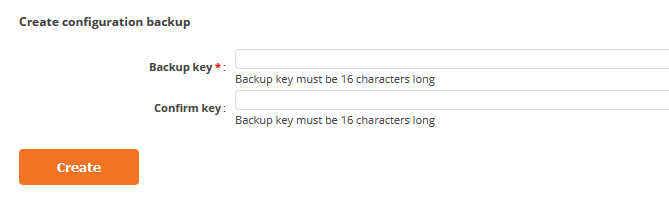
- Access the page System / Backup/restore and generate a back-up:
NOTE
After back-up generation, any configuration added on the on-prem deployment cannot be migrated. Those configurations would have to be performed manually after the migration.
How to generate session recording archive(s)?
On each node with session recordings, log in to the bastion appliance as wabsuper and execute the following command in the CLI:
/opt/wab/bin/WABSessionLogExport --start-date DATE --end-date DATE --passphrase BACKUPKEY -no-purgeDATE format is YYYY-MM-DD_[HH:MM:SS]
NOTE
Use the same key to encrypt WALLIX Bastion back-up and all session recording archives.
NOTE
Recommended archive size is <4GB to ease data transfer and data migration. start-date and end-date parameters can be used to adapt size of the archives.