

AWS configuration
This document describes how to set up an IPsec connection with WALLIX One PAM and your platform hosted on AWS using dynamic routing.
Prerequisite
WALLIX One PAM side
You need some information about your WALLIX One PAM platform:
- IPsec endpoint address
- BGP ASN
For this example, we use the following values:
- IPsec endpoint address: 51.103.98.141
- BGP ASN: 210094
AWS side
A VPC with existing subnet must already exist.
Configuration
Customer Gateway
Create new "wallix-w1pam" customer gateway 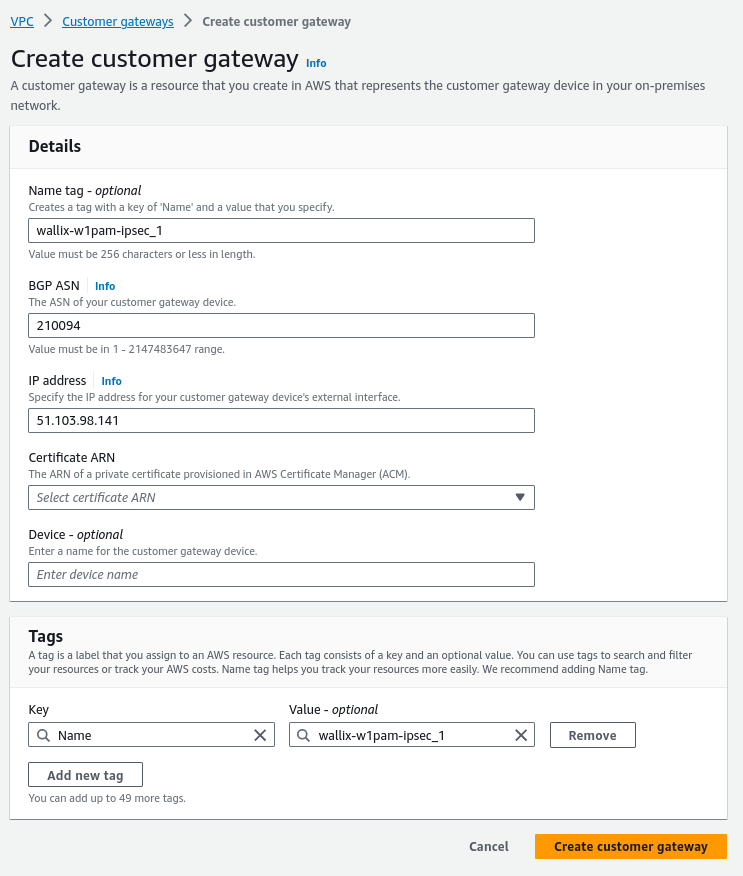
Virtual private gateway
Add virtual private gateway 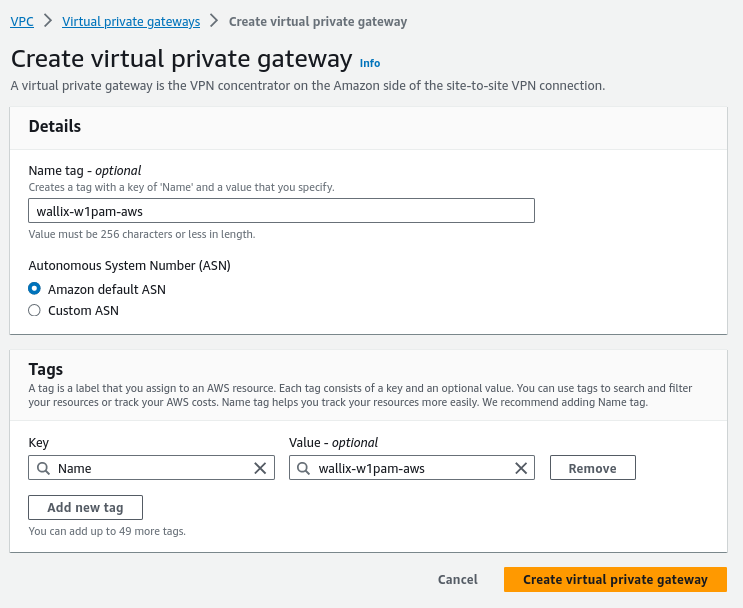
Attach gateway to your VPC 
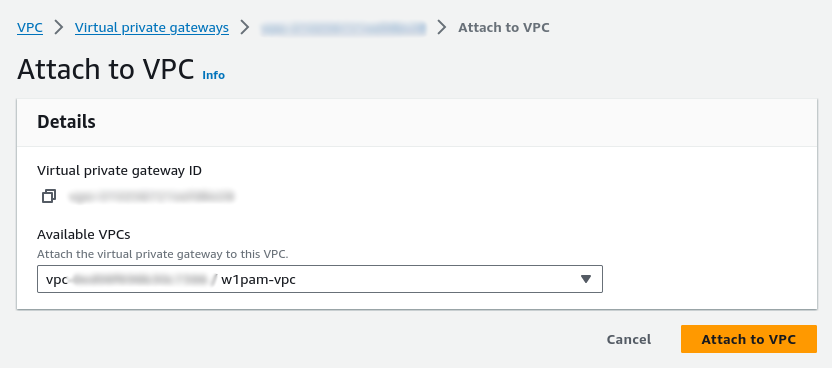
After a few minutes, the state of the "wallix-w1pam-aws" virtual private gateway must change from "Attaching" to "Attached".
Please note the value of the "Amazon ASN".
Site-to-Site VPN connection
Create VPN connection 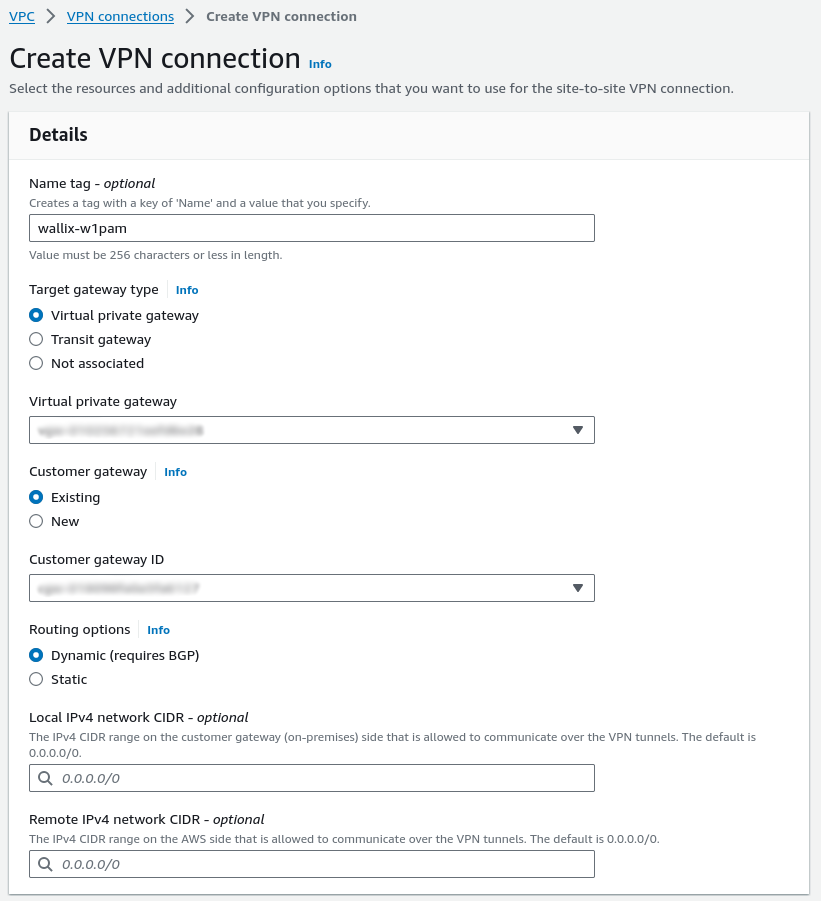
Parameters
- Name: wallix-w1pam
- Target gateway type: select "Virtual private gateway"
- Virtual private gateway: select previously created virtual private gateway (wallix-w1pam-aws)
- Customer gateway: select "Existing"
- Customer gateway ID: select previously created customer gateway (wallix-w1pam-ipsec_1)
- Routing options: select "Dynamic"
- let all options on this section to default value
You must then modify the options for the tunnel(s).
Both gateways can be declared on WALLIX One PAM; however, your gateway on the W1P side is not redundant. This configuration only protects against the failure of a gateway at the AWS level.
AWS uses only one tunnel at a time, and the second tunnel is in stand-by mode. This is achieved by setting the "MED" BGP setting to 100 for the primary tunnel and to 200 for the secondary tunnel.
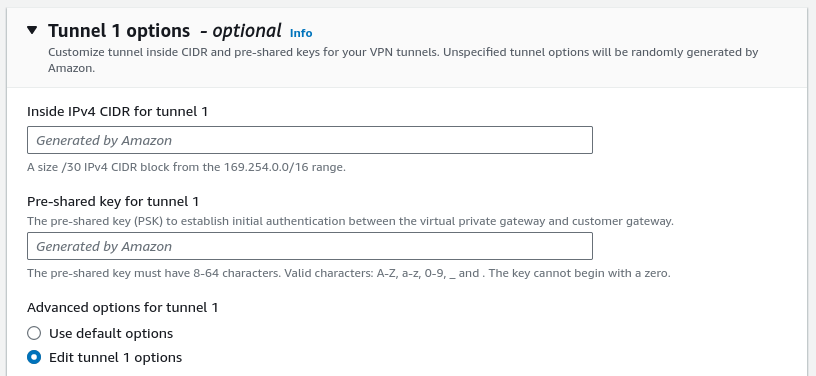 Parameters:
- Inside IPv4 CIDR: let AWS generate an APIPA prefix for the interconnection
- Pre-shared key: Let AWS generate a PSK, or if you want to define one yourself, a PSK can only contain a-z, A-Z, 0-9, or _ characters. The key must have 32-128 characters.
Select "Edit tunnel" in "Advanced options for tunnel" 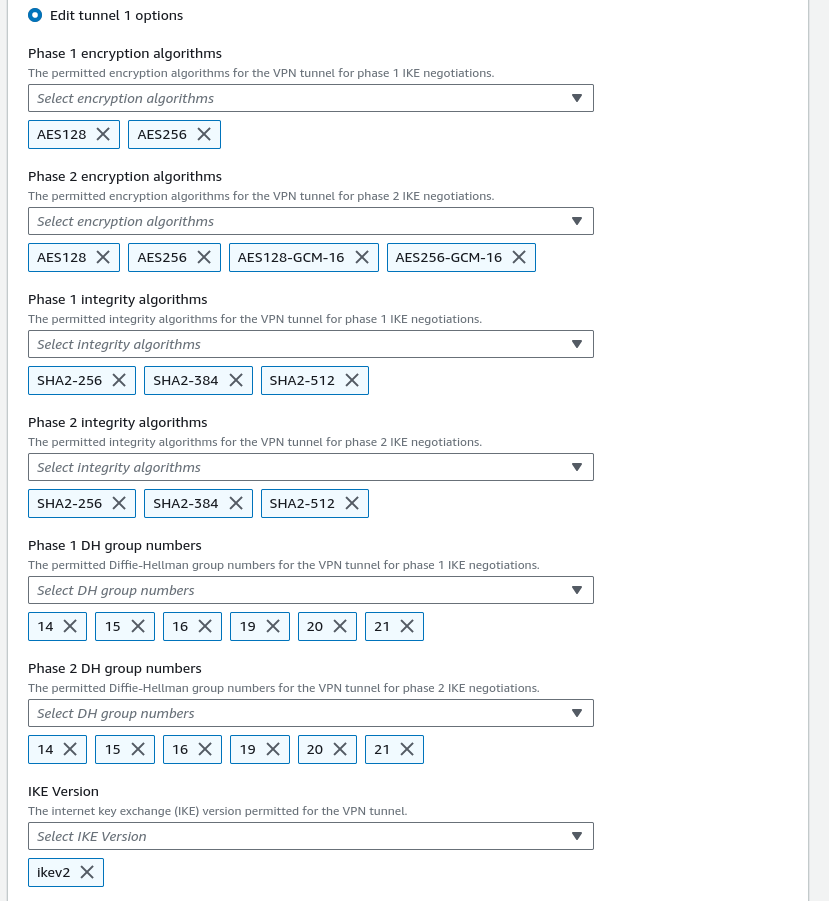 For each parameter, when a list is provided, you can select one or more components from the list.
Parameters:
- Phase 1 encryption algorithms: AES128, AES256
- Phase 2 encryption algorithms: AES128, AES256, AES128-GCM-16, AES256-GCM-16
- Phase 1 integrity algorithm: SHA2-256, SHA2-384, SHA2-512
- Phase 2 integrity algorithm: SHA2-256, SHA2-384, SHA2-512
- Phase 1 DH group numbers: 14, 15 ,16, 19, 20, 21
- Phase 2 DH group numbers: must be equals to "Phase 1 DH group numbers"
- IKE version: ikev2
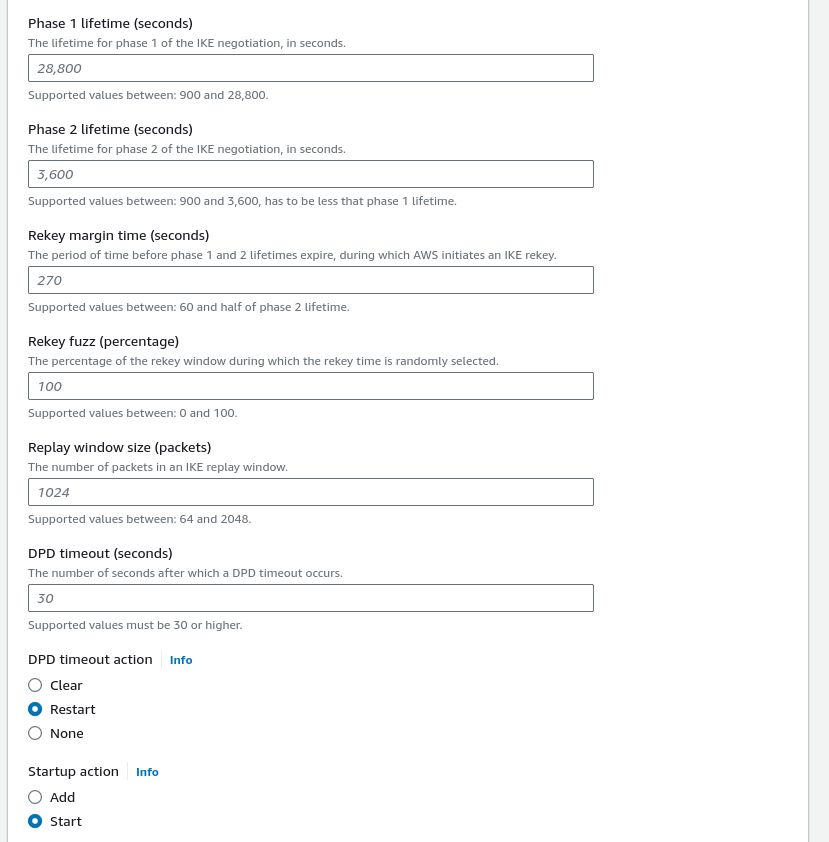 Parameters
- DPD timeout action: "Restart"
- Startup action: "Start"
- Leave all other options at their default values
After a few minutes, the state of the "wallix-w1pam" vpn connextion must change from "Pending" to "Available".
Routes propagation
Modify the VPC routing table settings to allow the propagation of routes learned from the "wallix-w1pam" VPN connection. 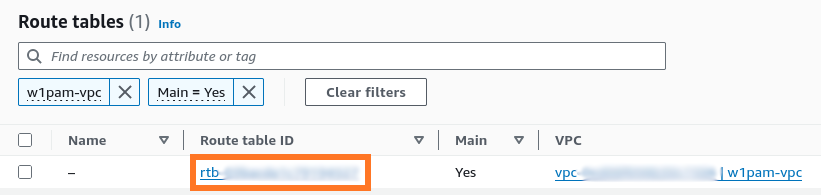 Click on the routing table ID link (rtb-....)
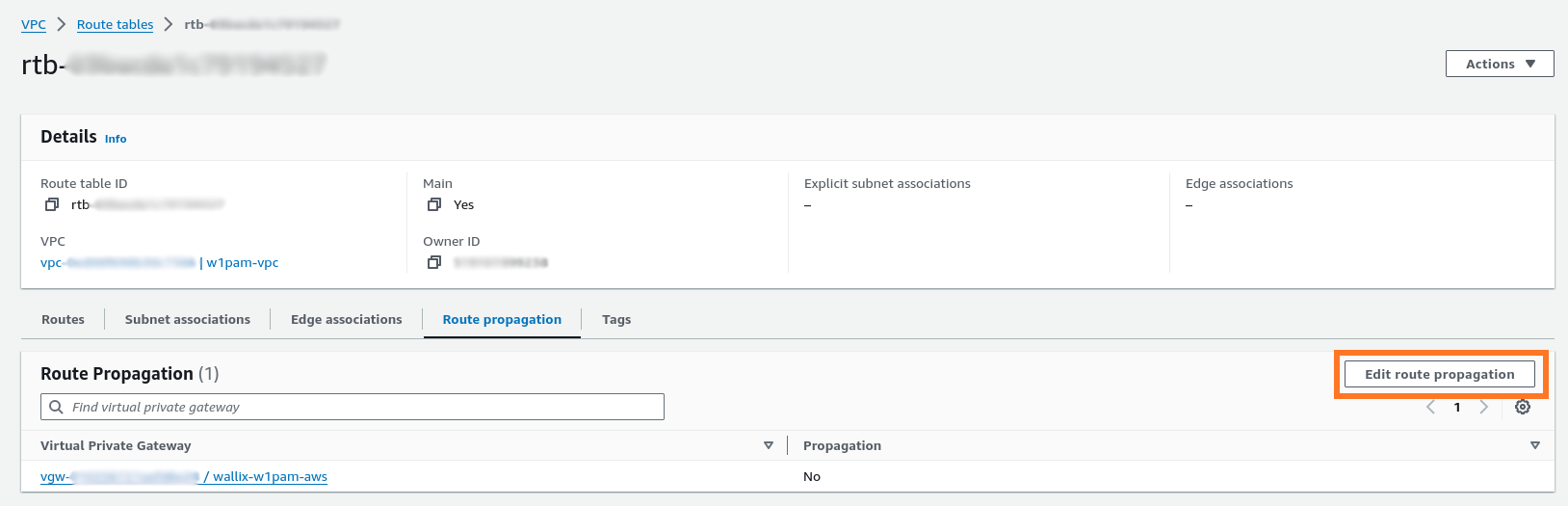 Click on "Edit route propagation"
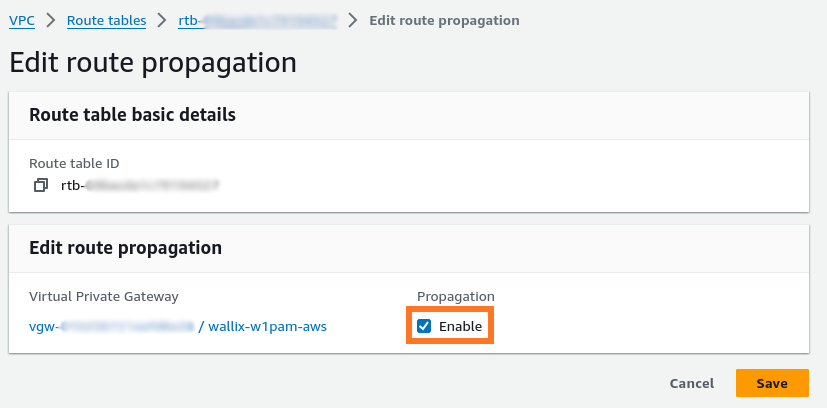 Check the box "Enable" and click on "Save" button.
Retrieve IPsec connection configuration
You need to retrieve the following information for each of your tunnels associated to connection "wallix-w1pam":
- Endpoint address
- Inside APIPA tunnel CIDR
- Pre-shared key
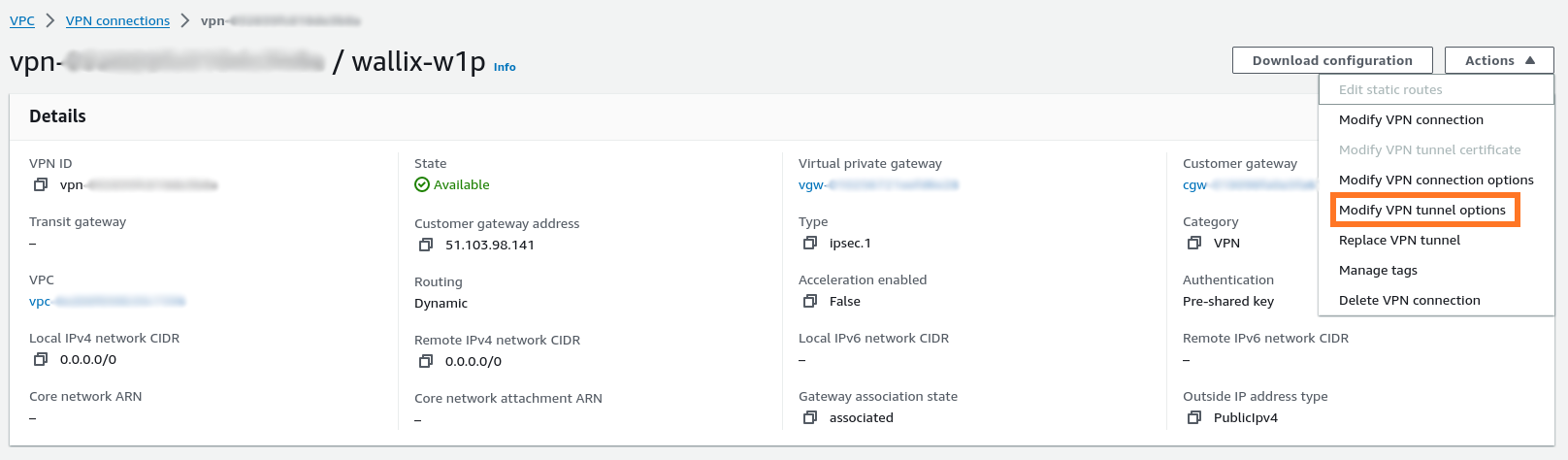
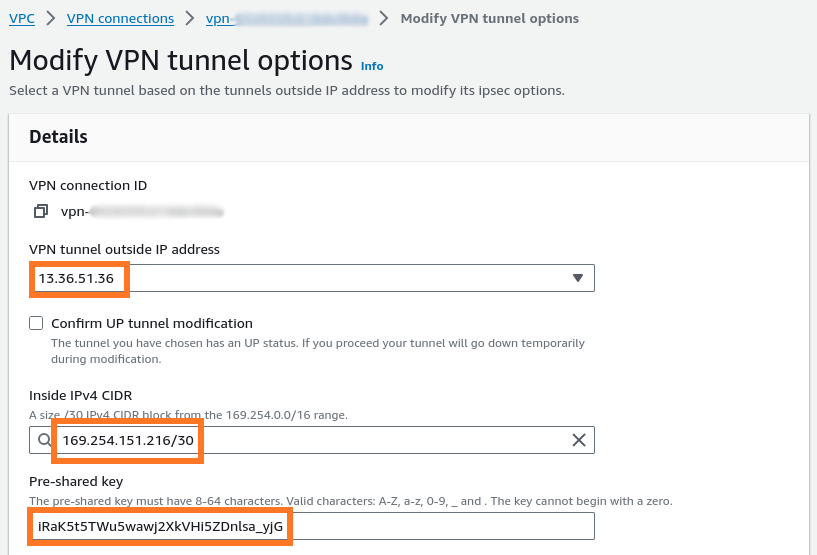
The following information must be declared in the shuttle document for the configuration of the IPsec tunnel:
- name: choose a name for this tunnel (e.g., aws-euwest3)
- ip_address: value of "VPN tunnel outside IP address" (e.g., 13.36.51.36)
- tunnel_cidr: value of "Inside IPv4 CIDR" (e.g., 169.254.151.216/30)
- use_first_address: False
- bgp_asn: the ASN defined previously when the new virtual private gateway was created (e.g., 64512)
- psk: the pre-shared key defined previously
- phase1_ciphers: select Phase 1 encryption algorithms according to your selection during tunnel option configuration (AES128 or AES256).
- phase1_integrity: select Phase 1 integrity algorithms according to your selection during tunnel option configuration (SHA2-256, SHA2-384 or SHA2-512).
- phase2_ciphers: select Phase 2 encryption algorithms according to your selection during tunnel option configuration (AES128, AES256, AES128_GCM_16 or AES256_GCM_16).
- phase2_integrity: select Phase 2 integrity algorithms according to your selection during tunnel option configuration (SHA2-256, SHA2-384 or SHA2-512).
- dhs: select Diffie Hellman groups numbers according to your selection during tunnel option configuration (14, 15, 16, 19, 20 or 21).
- routing_mode: "dynamic"
These settings must be provided to WALLIX support to establish the IPsec tunnel.
Show learned routes
Learned routes can be displayed on VPC default routing table. Select the default routing table of your VPC.
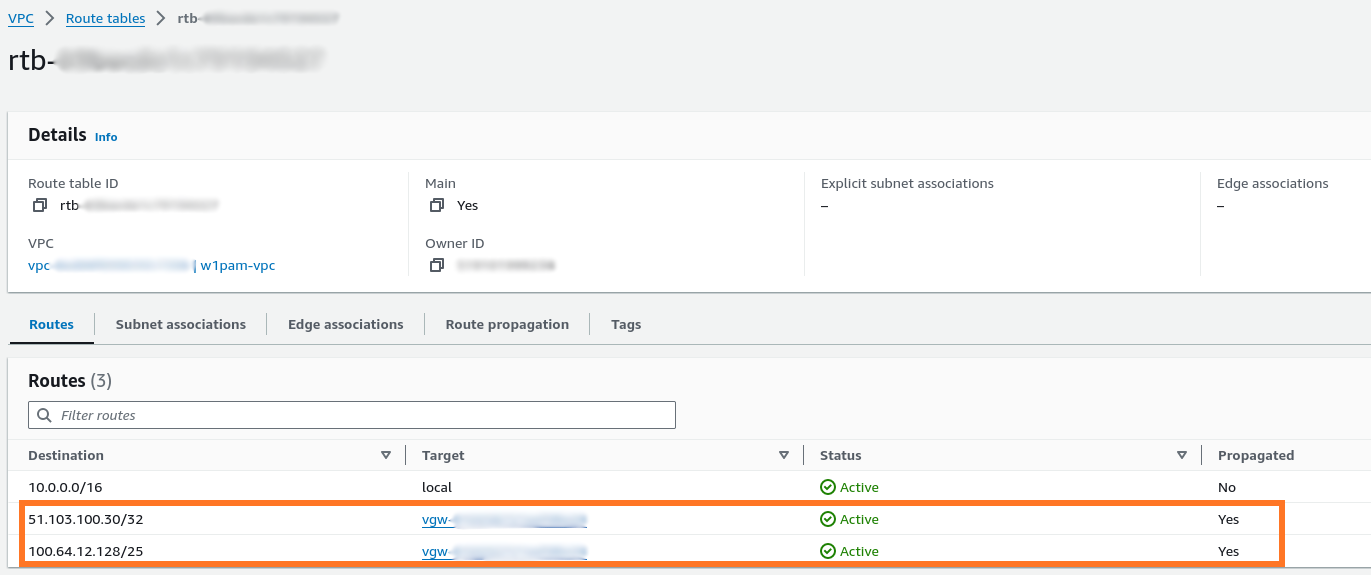 You must see three routes:
- 2 private subnets: used for outbound connections by Bastion and Access Manager
- 1 public address: used for incoming connections from users to Bastion or Access Manager